

Switching your POS system is one of those decisions that operators think about for months before they actually do anything about it.
The system works, more or less. Staff know it. Changing it means disruption, training, cost, and the very real fear that something will go wrong on a busy Friday afternoon.
That hesitation is understandable. But here is the thing: the cost of staying put keeps rising, while the process of migrating to a modern POS has become far more structured and manageable than most operators expect.
This guide walks through exactly how to approach it step by step, so you know what is coming before it happens.
Why the Migration Decision Matters More Right Now
Let us be honest about the environment fuel operators are navigating in 2026. It is not an easy one.
In Q2 2025, total sales across c-stores fell almost 8%, with fuel volumes down more than 12%. Margins that were already thin became thinner. Operating costs kept climbing.
In that kind of environment, the efficiency and accuracy of your core technology is no longer just an upgrade conversation. It becomes a survival conversation.
The Market Is Already Moving
The North American fuel and convenience store POS market is not waiting for operators to catch up.
North America held a 35.4% share of the global fuel and convenience store POS market in 2025, and the overall market is projected to grow from $1.63 billion in 2026 to $7.62 billion by 2034, at a compound an/nual growth rate of 21.3%.
Meanwhile, 78% of multi-location retailers now cite POS system selection as their top infrastructure priority.
If your competitors are treating the POS decision as their most important technology choice, that tells you something about where the competitive edge is being built.
What Operators Are Actually Afraid Of
What actually goes wrong in a POS migration? Before getting into the how, it’s worth naming the fears operators bring to this decision.
- Fear of downtime during a busy period
- Fear of losing historical sales and inventory data
- Fear of staff not adapting fast enough
- Fear of integration failures between the new POS and existing fuel management, tank gauges, or loyalty systems
- Fear of choosing the wrong platform and having to do this again in two years
Every one of these concerns is addressable through proper planning. The operators who have the worst migrations are almost always the ones who skipped steps or rushed the timeline.
The ones with smooth transitions are the ones who treated this as a structured project with defined milestones, not a weekend IT task.
Audit Your Current Environment
When evaluating a new platform, you should have a clear picture of what you are working with right now. This is the step most operators underestimate, and it is the one that determines whether the migration goes smoothly.
Mapping Every Integration Your Current System Touches
Your POS does not operate in isolation. It connects, or fails to connect properly, with a range of other systems across your operation.
Draw a complete list of every system your current POS interacts with:
- Fuel controllers and dispenser management software
- Automatic tank gauges and fuel inventory systems
- Loyalty program platforms or fleet card systems
- Back-office accounting and reporting tools
- Supplier ordering systems
- Price book management
POS and inventory systems sit at the center of a complex integration web that must connect with payment processors, ERP systems, CRM platforms, and pricing engines.
Every integration point must be mapped before migration begins, because a single broken integration between the POS and payment processing can halt transactions entirely.
For fuel and convenience operators specifically, the dispenser and tank gauge integration is the most critical technical dependency to validate early.
Not all POS platforms connect natively to all fuel controllers, and discovering an incompatibility after you have already committed to a platform creates delays and unexpected costs.
Auditing Your Data Quality Before You Move It
There is a hard truth in every migration. It does not improve bad data. It only moves it.
If your current system has duplicate SKUs, inconsistent price book entries, incomplete supplier records, or inaccurate inventory counts, all of that travels with you unless you clean it first.
Poor data quality in retail migrations creates immediate operational disruption, affecting replenishment, pricing consistency, and financial reconciliation from day one.
Before you migrate, run an audit on the following:
- Item and product catalog: look for duplicates, missing descriptions, and outdated price entries
- Customer and loyalty data: verify records are complete and consistently formatted
- Historical sales data: determine what you actually need on day one versus what can be archived
- Supplier and vendor records: confirm contact details, lead times, and ordering terms are current
Cleaning data before migration is unglamorous work. But it is far less painful than dealing with operational errors on the other side of the cutover.
Choosing the Right Modern POS Platform
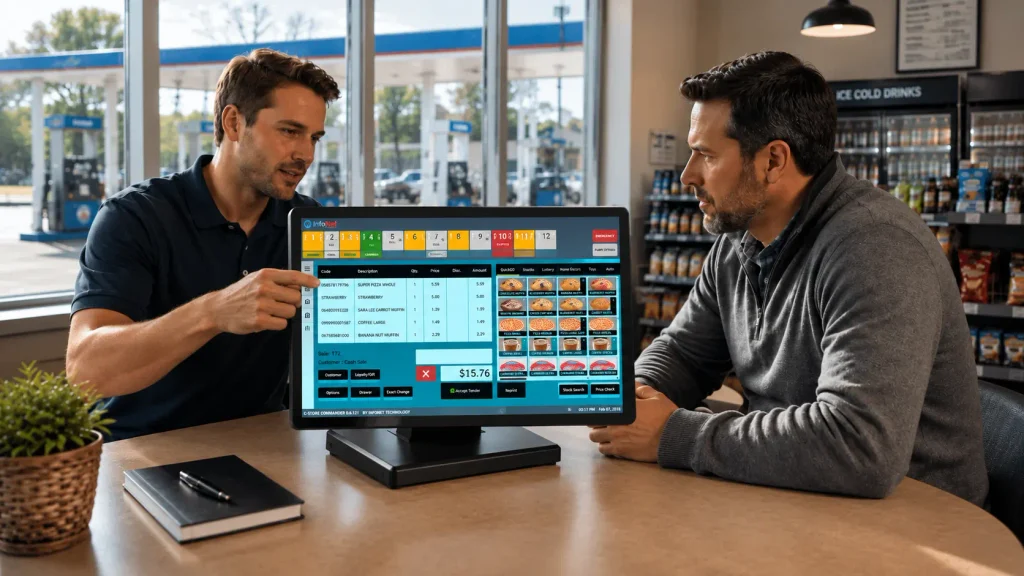
This is the part that determines how the next five years go. What platform do you choose, and why?
What Fuel and C-Store Operators Need That Generic Retail POS Misses
A modern POS built for general retail will not meet the specific requirements of a fuel and convenience operation without significant customization or workarounds. Here is what operators in this space need natively.
| Requirement | Why It Matters for Fuel and C-Store |
| Fuel controller integration | Real-time communication between the POS and dispensers for accurate transaction capture |
| EMV pay-at-the-pump support | Liability compliance for outdoor card transactions post-2021 liability shift |
| Price book management | Centralized control over thousands of SKUs, including age-restricted and regulated items |
| Fleet card and loyalty processing | Fleet customers represent significant revenue that requires specific payment handling |
| Tank gauge connectivity | Automatic fuel inventory tracking without manual dipstick readings |
| Multi-site centralized reporting | Single dashboard visibility across all locations without manual data compilation |
| PCI DSS 4.0 compliance | Built-in security and payment data standards that meet current regulatory requirements |
According to the Retail Industry Leaders Association, 65% of retailers are now investing in integrated POS systems specifically to streamline operations and improve customer insights.
For fuel operators, that integration requirement goes deeper than most retail categories because of the dispenser, tank, and fleet components involved.
When evaluating platforms, ask every vendor for a documented list of certified fuel controller and tank gauge integrations.
If they cannot provide one, or if your specific hardware is not on the list, that is a dealbreaker you want to find in the evaluation stage, not after signing a contract.
Data Backup and Migration Planning
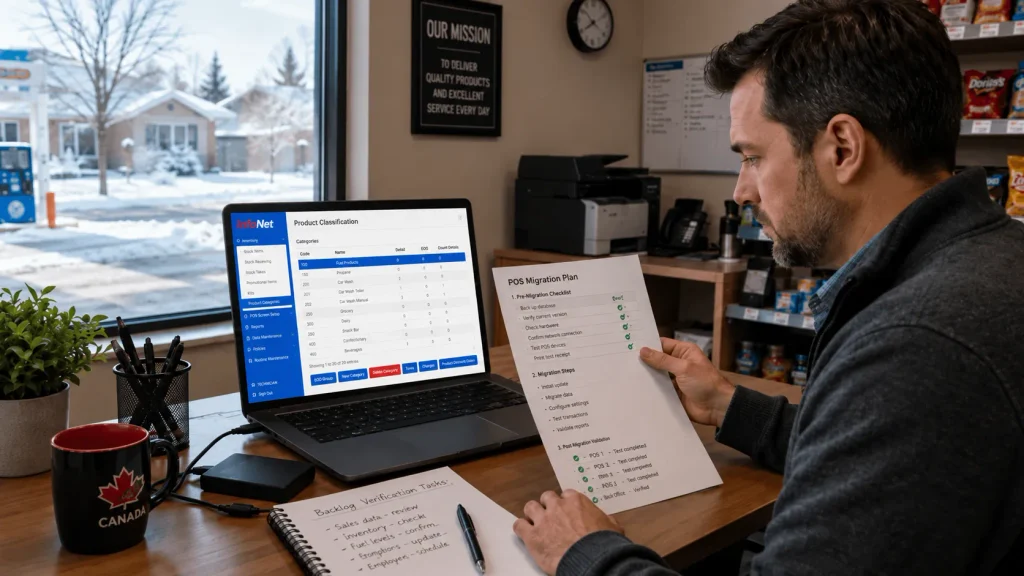
Once you have selected a platform, the migration planning begins in earnest. This phase happens in parallel with your new system configuration, before any cutover date is set.
Back Up Everything, Then Back It Up Again
Before changing to the new POS system, make secure copies of all information your store depends on every day. Save them in at least two places, including one local device and one secure cloud account.
Open the backup files afterward to confirm they transferred accurately and completely.
The data categories to back up include sales history, inventory records, customer and loyalty data, employee records and permissions, supplier information, and price book entries.
Do not assume your current POS vendor will retain your data indefinitely after you cancel the subscription.
Define What Goes Live on Day One
Not all historical data needs to be active in the new system from the moment it goes live. Work with your new platform provider to define which data is operationally necessary on day one and which can be securely archived and accessed separately.
This distinction simplifies the migration considerably. Trying to move every historical record into a fully operational state in a new system increases complexity, migration time, and the risk of errors that affect daily operations from the start.
Parallel Setup and System Testing
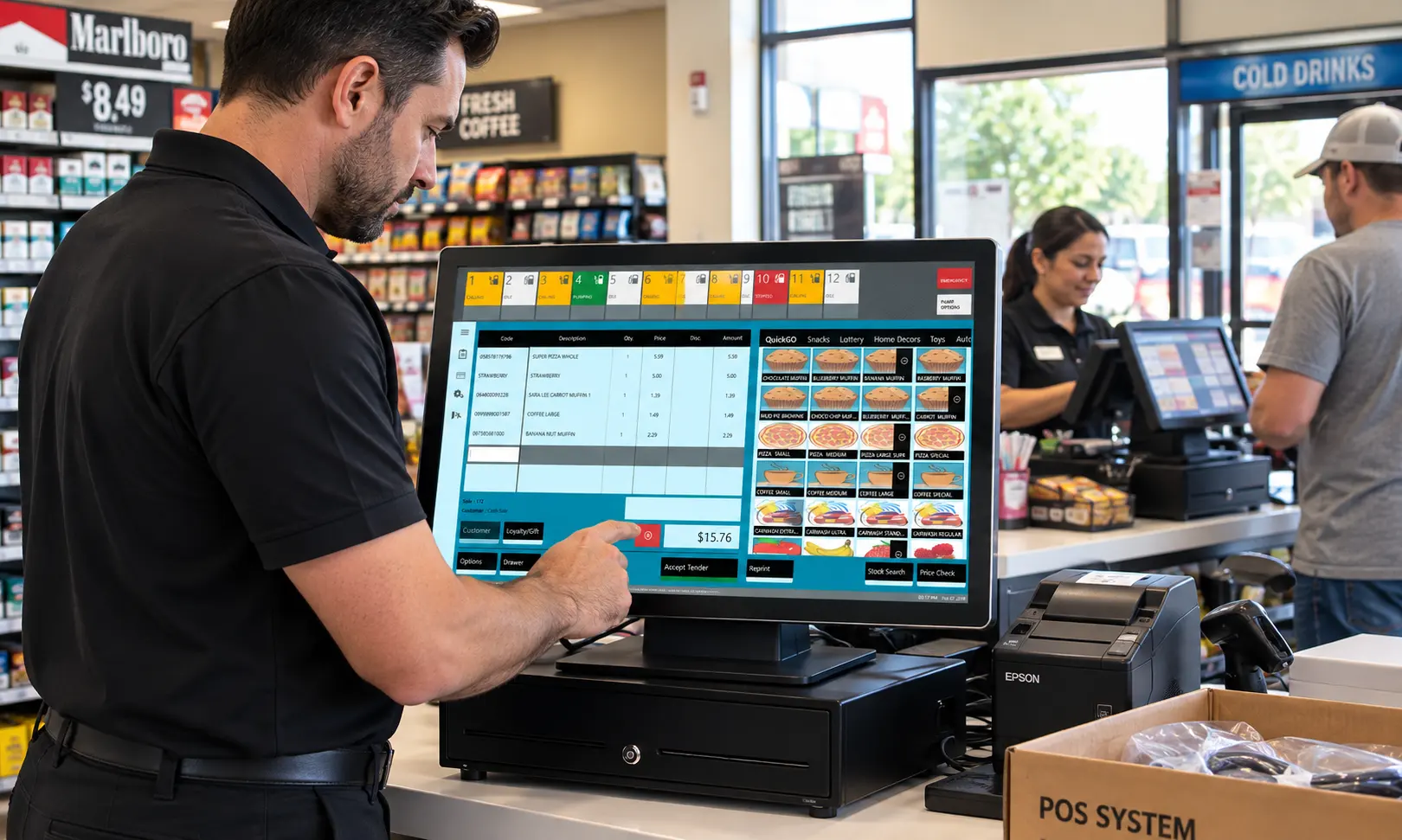
This is the phase where the new system gets fully configured while the old one continues running your business. Never rush through this stage.
Configure the New System Before Anyone Depends on It
Whenever possible, the new system should be configured while the existing POS continues to operate normally.
This means building out your product catalog, price book, tax settings, payment processor connections, and user permissions in the new platform while your staff continues using the current system for live transactions.
This parallel preparation approach gives your team time to become familiar with the new interface before customers depend on it. It also gives your technical team and vendor time to identify configuration issues without any operational pressure.
Test Every Integration Before You Go Live
Payment processing, dispenser communication, tank gauge data, loyalty program connections, and back-office reporting all need to be tested against real scenarios before the cutover.
Do not limit testing to individual components in isolation. Test the full transaction flow from pump authorization through indoor POS payment to inventory update to reporting.
Phased synchronization and parallel operations, where a segment of real transactions is routed through the new system alongside the legacy system, allow teams to validate integrations and monitor accuracy under real conditions before committing fully.
For multi-site operators, test at one location completely before rolling to others. A pilot site approach catches problems when they affect one location rather than your entire network.
Staff Training
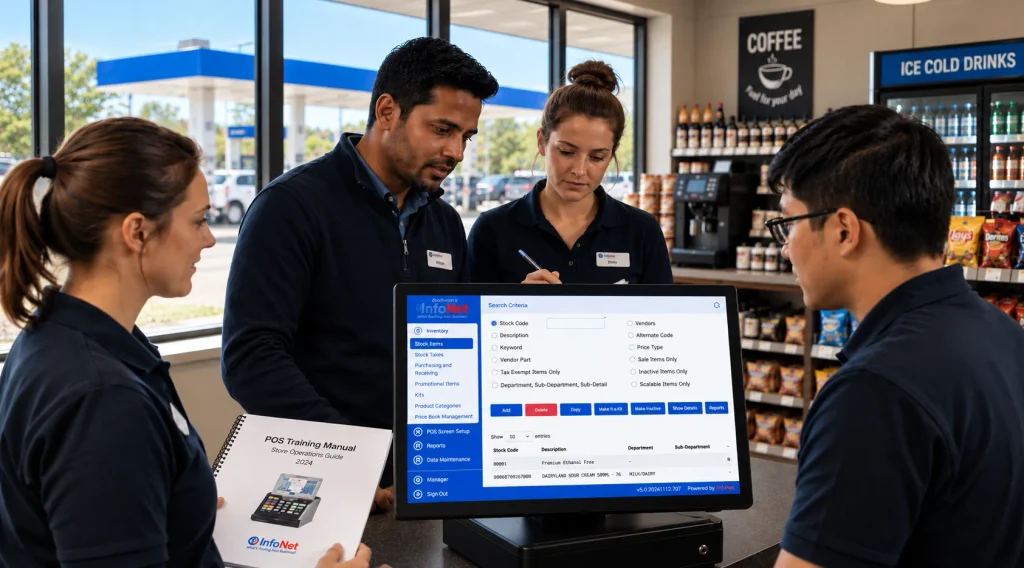
Now let’s talk about the part of any migration that determines whether the operational change actually sticks.
Train Before the Pressure Is On
Train outside business hours to avoid interrupting daily operations. Role-specific training matters here.
Cashiers need to master the transaction flow, payment handling, and loyalty program functions. Managers need to understand the reporting dashboard, exception management, and inventory oversight.
Site owners or district managers need to be comfortable with the multi-site visibility tools and back-office analytics.
Staff who are coming off a system they have used for years may actually find that familiarity slows them down, because they have to unlearn habits before new ones can form. Account for this in your training timeline.
A person who has run the same POS for five years needs more transition time, not less, even if they are a confident user of the old system.
Assign Clear Ownership
Someone should own data migration, another person should coordinate hardware and network readiness, and site managers should oversee staff training. Every piece of the migration needs a named owner with clear responsibility.
Migrations that fail most often fail because responsibility was assumed rather than assigned.
Your POS vendor or implementation partner should also have clearly defined deliverables on their side. Get those in writing before the cutover date is set.
The Cutover
If the previous phases were done properly, the cutover itself should be the least stressful part of the entire process.
Never Go Live on Your Busiest Day
Going live on your busiest day is one of the most common and most avoidable mistakes in a POS migration.
Schedule your cutover during the slowest trading period your site experiences, whether that is an overnight window, a low-traffic weekday morning, or a slow seasonal period.
Most stores do not need to close their doors during the transition at all. A convenience store can schedule the switch during its slowest overnight hours to minimize disruption to customers.
The entire process is designed to work around your business rhythm when it is planned correctly.
Keep the Old System Available as a Fallback
For the first few days after cutover, keep the legacy system accessible but not active. This gives you a verified fallback if something unexpected surfaces in the new environment.
Define in advance what the threshold is for reverting, and make sure your team knows the procedure.
Retail migrations that attempt a complete big-bang switch often find that a single critical dependency failure can spread impact across stores, fulfillment, reporting, and customer experience simultaneously.
Having a clear rollback plan is not pessimism. It is good risk management.
Post-Launch Review and Optimization
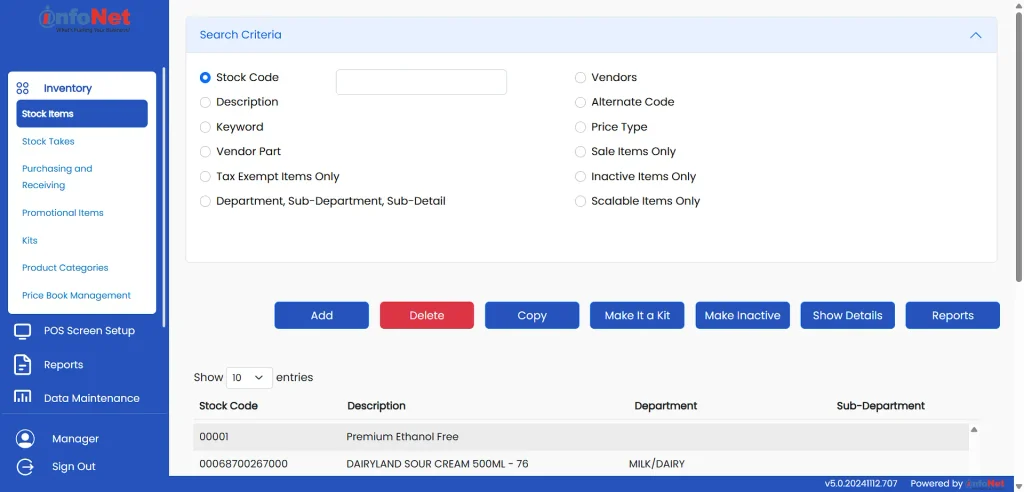
The migration is not finished when the new system goes live. The first 30 to 90 days after cutover are when the real operational benefits become visible, and when any remaining issues need to be addressed before they compound.
What to Review in the First 30 Days
Check the following areas within the first month after going live.
- Transaction accuracy: Compare daily sales totals between the new POS and your accounting records
- Fuel reconciliation: Verify that dispenser data and tank readings are syncing correctly
- Inventory accuracy: Spot-check physical counts against system records at each location
- Staff confidence: Identify which team members need additional support or retraining
- Reporting completeness: Confirm that all the reports your managers relied on are available and accurate in the new system
Gathering feedback from staff and customers in the early weeks helps identify areas for optimization that would otherwise go unnoticed until they cause a visible problem.
Common Mistakes That Derail POS Migrations
Now let’s step back and look at the patterns that cause migrations to go wrong, because understanding these makes every step above more meaningful.
- Setting the cutover date before finishing the readiness checklist. The go-live date should follow from completion of prerequisites, not be imposed before them.
- Skipping the data audit. Moving dirty data into a new system does not clean it. It preserves the problem in a new environment.
- Underestimating staff resistance. Experienced staff on a familiar system often resist change more than new hires. Plan for this explicitly in your training schedule.
- Assuming the vendor handles everything. A good implementation partner handles a lot, but the operator must own specific deliverables, including data exports, hardware readiness, and staff availability for training.
- Not testing fuel and payment integrations end-to-end. Testing each component in isolation does not confirm that the full transaction chain works under real operating conditions.
What You Gain After a Successful Migration
Operators who complete a well-planned migration to a modern POS consistently report the same set of improvements across the first few months.
Modern POS systems deliver a measurable 41% reduction in checkout time, a 34% decrease in billing errors, and inventory tracking accuracy above 97%.
Those are not minor improvements at the margins. A 41% reduction in checkout time is a meaningful difference in customer experience at a busy forecourt.
Integration with loyalty programs through a connected POS platform increases repeat customer transactions by 34%. For a channel where fuel margins continue to compress and in-store sales become more important to total profitability, that kind of loyalty lift has a direct bottom-line impact.
Retailers using optimized modern POS systems achieve 25% faster checkout times and 30% fewer compliance issues. The compliance benefit is particularly relevant for fuel operators navigating PCI DSS 4.0 requirements and EMV liability obligations at the pump.
And perhaps most importantly for multi-site operators, multi-system integration through a modern POS platform improves operational efficiency by 28% across multi-store enterprises.
That efficiency gain compounds across all locations and reporting cycles.
Final Remarks
Migrating from a legacy POS to a modern system is not a small decision, and this guide has not tried to make it sound like one. It requires real planning, real investment of time and attention, and a structured approach that respects how interconnected a fuel and convenience operation actually is.
But the operators who approach this migration correctly find that the fear of the process was larger than the process itself.
When each phase is handled in order, with proper testing, clean data, trained staff, and a sensible cutover timeline, the transition is manageable, and the outcomes on the other side are measurable and lasting.
The fuel and convenience industry in North America is in the middle of a significant technology upgrade cycle. The question for most operators is not whether to make this transition, but when and how.
For those who plan it properly, the answer to both is sooner than they thought, and smoother than they feared. InfoNet Tech specializes in exactly this kind of fuel and convenience POS migration, from platform selection through cutover.
Frequently Asked Questions
How long does a modern POS migration typically take for a convenience and fuel site?
Industry research indicates that enterprise POS implementation timelines have contracted to 8 to 16 weeks for average deployments, down from the 6 to 12-month timelines of earlier years.
For a single c-store and fuel site with standard integrations, a well-planned migration can often be completed within that range. Multi-site rollouts take longer because of the phased approach needed to test and validate each location before moving to the next.
Will I lose my historical sales and inventory data when switching to a new POS?
Not if the migration is handled correctly. A proper data migration exports and transfers your historical records to the new system or secures them in an accessible archive.
The key is completing a thorough data backup before the cutover and working with your new vendor to define exactly what data will be active in the new system versus what will be archived.
Can I run both systems at the same time during the transition?
Yes, and this is actually the recommended approach. Running the old and new systems in parallel during a defined testing and transition period allows you to catch discrepancies, validate integrations, and train staff without any operational risk.
Once the new system is confirmed to be working accurately under real conditions, the legacy system is phased out.
What is the biggest risk in a POS migration for a fuel and c-store operator?
The highest-risk element specific to fuel and convenience operations is the integration between the new POS and existing fuel management hardware, including dispensers, controllers, and tank gauges.
A failure in this integration can disrupt fuel transaction processing entirely. Validating fuel system compatibility early in the platform selection process and testing the full transaction chain in detail before cutover are the most important steps to mitigating this risk.
How do I prepare staff for a POS system change without disrupting daily operations?
Train staff outside of business hours and in role-specific sessions rather than general group walkthroughs. Cashiers need to master the day-to-day transaction flow. Managers need the reporting and exception management tools.
Running a parallel period where staff can practice on the new system while the old one remains active for live transactions is the most effective way to build confidence without pressure. Vendors with strong onboarding support make this process significantly easier.