

Walk into any fuel and convenience site, and you will see one register. Behind it sit a card terminal, a loyalty host, pump controllers, price signs, a tank gauge, and sometimes a car wash.
POS integrations are the connections that make all of these parts act like one system. When those links work, a customer taps a card at the pump, earns a reward, and buys a coffee inside without anyone retyping a number. When they fail, you see stuck pumps, missing points, and reports that never match.
This guide explains how POS integrations work across payments, loyalty, and fuel. You will see how the data moves, where the weak points sit, and what to ask before you add or replace a link.
What POS Integrations Are at a Fuel and C-Store Site
A POS integration is a working link between your point of sale and another system. The two exchange data on their own, so nobody retypes a number.
The register sends a sale, and the other system sends back an approval, a discount, a price, or a status.
At a fuel and convenience site, the list of partners is long. It helps to sort them into three layers.
- Payments cover the card terminal, the payment server, and the processor.
- Loyalty covers member lookup, points, and fuel discounts.
- Fuel and forecourt cover dispensers, price signs, tank gauges, and car wash controllers.
Fleet cards, accounting software, and back office reporting sit around these layers. Each one adds another link that someone has to build, test, and maintain.
That upkeep is one reason outdated POS systems get expensive. Older software tends to need a custom workaround for each connection, and the workarounds pile up over time.
Connecting Payments to the POS
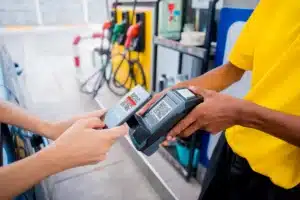
Payments are the integration you notice first, because a broken link stops sales. The money at stake is large too. NACS reports that card fees across US convenience retail reached a record $21.3 billion in 2025.
Every one of those card sales runs through the link between your POS, the payment terminal, and the processor. Getting that path right keeps sales moving and keeps your records clean.
How a Pay-at-the-Pump Payment Moves
Fuel adds a twist that a normal retail sale does not have. When a customer taps a card at the pump, nobody knows the final amount yet.
Conexxus, the standards body for fuel and convenience retail, describes the flow in its payment processing white paper. In plain terms, it works in five steps.
- The card tap triggers a pre-authorization request to the payment host.
- If approved, the host returns an amount and places a hold on those funds.
- The dispenser is authorized up to a limit set by card type, local fueling rules, and the approved amount.
- When fueling ends, a completion message sends the actual sale amount.
- The host releases the unused part of the hold and finalizes the sale.
Each step crosses a boundary between systems. The dispenser, the site controller, the payment server, the POS, and the processor all have to agree on the amount and the limit.
That is why a pump that hangs after a card tap can point to a lost message rather than a faulty dispenser. Knowing the five steps helps you ask better questions when a pump misbehaves.
Integrated, Semi-Integrated, and Standalone Payments
Not every site connects payments to the POS the same way. The setup you pick decides how much card data your POS software touches.
|
Setup |
How it works |
What it means for you |
|
Standalone terminal |
The cashier keys the amount into a separate card terminal |
No link at all, so you face double entry and mismatched totals |
|
Semi-integrated |
The POS sends the amount, and the terminal handles card data and talks to the processor |
Card data stays out of the POS, which can shrink your PCI scope |
|
Fully integrated |
Card data passes through the POS software |
Tight control of the flow, but more of your systems fall under PCI rules |
Semi-integrated setups are popular for scope reasons, but they are not a free pass. The PCI Security Standards Council says approved payment devices do not guarantee compliance or reduce scope on their own.
What helps is a PCI-listed point-to-point encryption (P2PE) solution, which encrypts card data at the terminal before it reaches the rest of your network.
Connecting Loyalty to the POS

Loyalty is where payments, promotions, and fuel meet. A member should get the same recognition at the pump and at the register. That only happens when the loyalty host and the POS share data quickly and correctly.
Why Members Expect Rewards at Both Places
The 2026 NACS Convenience Voices study put c-store loyalty membership among its respondents at 77.2%. Most shoppers in that survey are already members.
Those members expect points to post whether they pay at the pump or inside. They do not care that two separate devices and two separate messages are involved.
Conexxus treats the pump-side card reader as more than a payment device. Its forecourt payment terminal specification says the device also handles loyalty interactions and car wash sales, so the link has to carry more than a card number.
What the Integration Must Handle
A recent example makes the point. In January 2026, NACS covered a loyalty program redesign at Refuel Market. Members who spend $25 in-store automatically earn 10 cents off per gallon at the pump.
For an offer like that to work, the POS and the loyalty system must total the in-store spend, record it against the member, and apply the discount when that member fuels.
Any gap between those steps shows up as a missing reward and an annoyed customer.
Card data adds another trap. The Conexxus white paper warns that some hybrid cards share one account number between payment and loyalty. If that number is masked, the loyalty data can become unusable.
Co-branded cards can lose discounts too, because masking can block the data needed to recognize them.
Connecting Fuel and Forecourt Systems to the POS

The forecourt at retail gas stations is where integration gets physical. The equipment comes from different makers, sits outdoors, and speaks different protocols. Your POS has to coordinate all of it.
Dispensers and Pump Control
Pump control lets the POS authorize a pump, watch a sale in progress, and set prices from the register. It is the most basic forecourt link, and everything else builds on it.
Pay-at-the-pump adds card readers and payment software to the mix. When the card networks required chip readers at automated fuel dispensers, NACS Magazine explained that retailers had to retrofit or replace dispensers, load newly certified software, and use certified technicians.
A forecourt payment upgrade touches hardware, software, and people at once, so plan it as one project.
Price Signs, Tank Gauges, and Car Wash
IFSF, the international forecourt standards body, says its standards cover the devices on a forecourt, including dispensers, tank gauges, price signs, car washes, and outdoor payment terminals. That list shows how many separate devices a forecourt link may touch.
Each device has its own failure mode. A price change that reaches the pump but not the sign leaves customers looking at two different numbers. A dropped tank gauge link leaves you without the data you need to spot fuel loss.
Local links protect against both problems. A well-built hybrid POS system keeps pump control, price signs, and tank monitoring on-site, and sends only reporting and data capture to the cloud.
Fleet Cards, ERP, and Back Office Links
Beyond the three layers, two more links decide how much manual work you do each week. Each one moves data from the point of sale to a person who needs it.
Fleet Cards and Product Restrictions
Fleet cards carry rules. The Conexxus white paper explains that fleet card data drives prompts such as odometer or driver ID, along with product restrictions. The POS and payment server need access to that data while still meeting security standards.
If the integration drops those prompts, a driver can buy something the fleet account does not allow. Operators who serve fleet fueling accounts feel this first, because those accounts depend on spending limits by vehicle, driver, time, or product.
ERP, Accounting, and Back Office Reporting
Your accountant wants clean daily totals by fuel grade, merchandise category, tender type, and tax. Your back office wants the same data to reconcile pump readings, tank levels, and sales.
When these links are manual, someone exports a file and re-enters it. Every manual step is a chance for a mismatch. Your back office software should feed reports and accounting without that step.
Operators who handle tax-exempt sales or rebate programs need the POS to tag those transactions correctly at the point of sale.
The Connection Count Test
Here is a method most POS guides skip. It comes from software architecture, and it takes about ten minutes.
Microsoft’s integration guidance explains that when every application connects directly to every other, complexity grows fast. Three applications need three connections, while 10 need 45 connections. The growth is quadratic.
The formula is simple. For n systems, the most direct links you can have are n times (n minus 1), divided by 2. Now let’s get real and run it on your own site.
- List every system your POS or forecourt controller touches.
- Count them, and call that number n.
- Work out n times (n minus 1), divided by 2. That is your ceiling for direct links.
- Mark each real link as standard, meaning it uses a shared interface or controller, or custom, meaning it was built for one pair of systems.
- Circle the custom links. They are the most likely to need rework during upgrades.
|
Systems at your site |
Maximum direct links |
|
4 |
6 |
|
6 |
15 |
|
8 |
28 |
|
10 |
45 |
|
12 |
66 |
These figures come from the formula above. Your real count will be lower, since few sites wire every system to every other.
Picture a site with a POS, payment server, loyalty host, forecourt controller, price sign, tank gauge, car wash, fleet network, back office, and accounting package. That is 10 systems and a ceiling of 45 links.
A shared controller or hub changes the math. Each system connects once to the hub, so 10 systems need 10 links. That is the idea behind open standards.
Open Standards That Cut the Custom Work
The fix for a high link count is a shared way to talk. Two nonprofit bodies built one for this industry. Conexxus comes from the US, IFSF started in Europe, and the two now work together.
Why the Industry Wrote Its Own Standards
In an engineering bulletin, IFSF explains that it pictured the site in 1993 as many separate components with open interfaces between them. Those parts included POS servers, payment systems, loyalty systems, forecourt controllers, and car wash controllers.
Different vendors often supply each part. Without shared interfaces, every pairing becomes a custom job.
Separating payment from the POS had a security payoff too. An IFSF and Conexxus presentation credits the split with keeping the POS out of scope for many card payment certification requirements.
What the Standards Cover Today
Conexxus publishes several standards that touch POS integrations.
- Electronic Payment Server (EPS) handles credit, debit, fleet, and loyalty card processing separately from the POS.
- Loyalty defines a message set between a site system, such as a POS or payment server, and a loyalty host.
- Mobile Payments sets a standard interface between site systems and mobile payment apps for in-store, pump, and car wash purchases.
- Forecourt Payment Terminal defines how a store system controls a payment device at the pump or on a pedestal.
In March 2023, IFSF and Conexxus released a joint, API-based POS-to-EPS standard. The working group’s stated aim was a single global EPS standard.
But hang on, there’s more to it. Standards do not remove all the work, because vendors implement them in different ways and add their own options. So ask which standards a vendor supports, and which parts of each one.
Security and Compliance Across Connected Systems

Every extra link is also another path for card data. The PCI Security Standards Council rates the common petroleum environment as a higher risk profile because the POS connects to dispensers on the forecourt.
Payment Data Paths and Scope
The council’s petroleum environment guide traces the path. At the pump, the card reader sends data to the site controller. The controller passes it to the electronic payment server, and the server sends it to the processor or acquirer.
Inside the store, the PIN pad sends data either to the POS or straight to the payment server. So depending on the design, card data may skip your POS entirely.
Draw this path for your own site. Any system that card data touches belongs in your PCI scope review.
Vendors in the Chain
Every vendor connected to your payment flow is a third-party service provider under PCI DSS. Requirement 12.8 asks you to keep a list of them and to monitor their compliance status.
The council’s FAQ on service providers adds a detail worth knowing. The requirement covers your monitoring. It does not by itself force a vendor to be validated as PCI compliant.
So ask each vendor which tasks are theirs, which are yours, and which are shared. A written responsibility matrix is the usual way to record the answer.
How Infonet Handles POS Integrations
Infonet has served the fuel and convenience retail sector for 25+ years and reports having optimized 1,000+ sites. Its software processes 500,000+ transactions every day.
Its approach to POS integrations follows the layers in this guide, with payments, loyalty, and forecourt links handled as part of the platform.
Local POS, Forecourt, and Back Office
C-Store Commander handles POS transactions, forecourt transactions, and back office functions locally. It is a hybrid system, so reporting and data capture use cloud capacity while the register and pumps keep running on-site.
Its listed features include integrated pump control, fuel stock management, fleet card management, PCI-certified secure payments, and unattended EMV payment support.
Loyalty works through a built-in engine or connections to third-party programs. Car wash sales run from the POS and at the pump.
Unattended Fueling and Fleet Sites
Fuel Commander serves cardlocks, aviation sites, marinas, and unattended retail fuel sites. Its page lists pay-at-pump dispensers from Wayne, Gilbarco, and Bennett, and pinpads from AMP, WeVend, and PAX.
It accepts credit, debit, fleet, and proprietary cards. Remote monitoring lets you manage several sites from one place.
The Integration Process
Infonet’s integrations service covers five areas.
- Payment processing includes integrated and semi-integrated credit and debit for in-store and pay-at-the-pump sales.
- Pump and forecourt covers dispensers, price signs, car wash, and tank monitors.
- Loyalty and gift programs connect to third-party or proprietary systems.
- Fleet and proprietary cards cover private and public fleet cards.
- Third-party ERP links POS and fuel data to accounting and enterprise tools.
The work follows five steps.
- A system compatibility review of your current setup.
- Partner coordination with payment gateways and other vendors.
- Secured integration deployment, where connected systems are configured and tested.
- Validation and testing to confirm that transactions and reports match.
- Continuous optimization through ongoing monitoring and support.
The company has integrated dispensers from Wayne, Tokheim, and Gilbarco since the 1990s. It later added integrations with vendors such as Givex, Tidel, OPW, and Veeder-Root.
Hardware, Installation, and Training
Hardware is part of the integration. Infonet sources Touch Dynamic touch terminals, Toshiba POS systems, Epson thermal printers, Zebra and Motorola scanners, and Dell servers. It stages and validates them before installation.
Its installation and training service runs in five stages, from site assessment to go-live monitoring. Training happens on-site or remotely, and 30 days of post-installation support follow the launch.
Questions to Ask Before You Add or Replace an Integration
Use this list on vendor calls. If you are planning a full replacement, treat the integrations as part of migrating to a modern POS, not as a later add-on.
|
Question |
Why it matters |
|
What happens at the pump if the internet drops? |
Pumps and registers should keep working on-site |
|
Which open standards does the link use, and which parts? |
Standard links mean less one-off work |
|
Does card data pass through the POS? |
The answer sets your PCI scope |
|
Who owns each PCI task? |
A responsibility matrix prevents gaps |
|
How are loyalty and payment data matched when card numbers are masked? |
Hybrid and co-branded cards can lose rewards |
|
What happens to a hold if the completion message arrives late? |
Unused funds stay tied up until the host releases them |
|
How do price changes reach the pump and the sign? |
Customers notice when the two disagree |
|
Who tests the link, and who supports go-live? |
Early issues are easier to fix with support in place |
Key Takeaways
POS integrations decide whether your register, pumps, loyalty program, and accounting tools act like one system or like separate islands. A few habits keep that under control.
- Map your systems and run the connection count test before you add another link.
- Treat pay-at-the-pump as a five-step message flow, and know where each step can fail.
- Match loyalty and payment data with care, since masked card numbers can break rewards.
- Ask vendors which open standards they support, and which parts of each.
- Keep pump control, price signs, and tank monitoring on-site, and use the cloud for reporting.
If you want a second set of eyes on your own connection map, you can contact the Infonet team and walk through it together.
Frequently Asked Questions
What are POS integrations?
POS integrations are working links between your point of sale and other systems, such as card terminals, loyalty platforms, pump controllers, price signs, and accounting software. They let systems share data automatically, so staff do not retype sales, prices, or reward balances.
What is the difference between integrated and semi-integrated payments?
In a fully integrated setup, card data passes through the POS software. In a semi-integrated setup, the POS sends only the amount to the terminal, and the terminal sends card data to the processor.
That can reduce the number of systems in your PCI scope.
Why does a pay-at-the-pump sale start with a pre-authorization?
The system does not know the final amount when the customer taps the card. The host approves an amount and holds those funds, and the dispenser fuels up to a limit.
A completion message then sends the real total, and the host releases the unused hold.
How do loyalty programs connect to a fuel POS?
The POS identifies the member at the pump or register, sends the sale to the loyalty host, and applies any earned discount.
Conexxus publishes a loyalty standard that defines the messages between a site system and a loyalty host. Ask your vendor whether it uses a built-in engine or connects to third-party programs.
Do POS integrations need an internet connection to work?
Card authorization needs a path to the processor. Links to pumps, price signs, and tank gauges are on-site and should not depend on the internet.
Ask every vendor what happens at the pump during an outage. A hybrid system keeps those local links running.